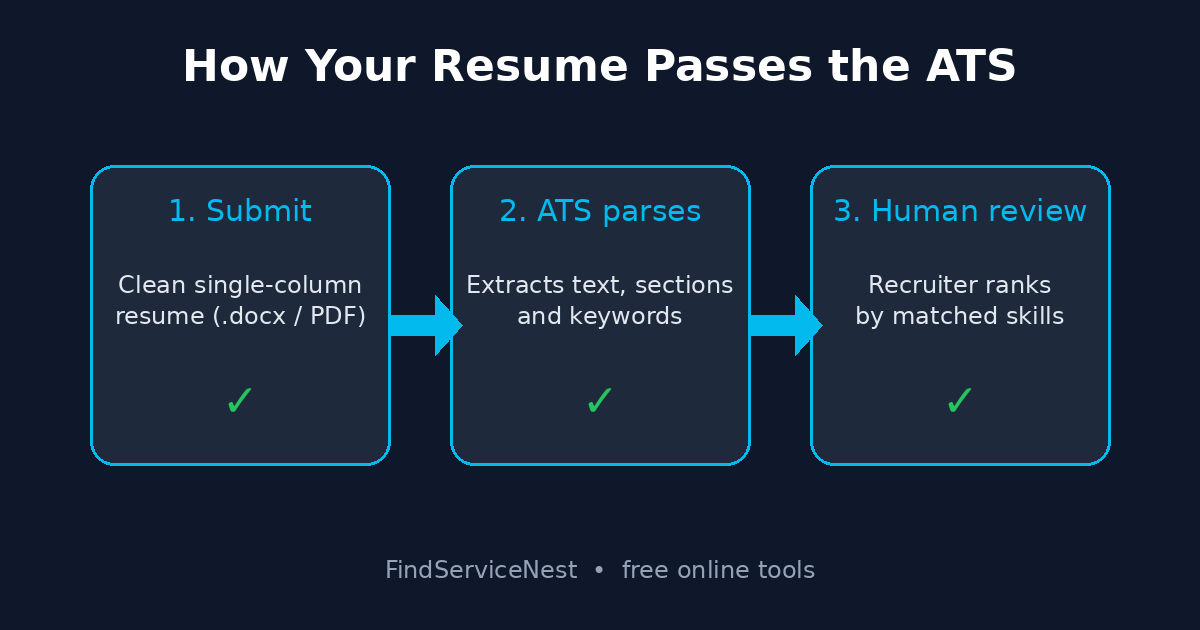
To pass an applicant tracking system, submit a clean single-column resume as a .docx or text-based PDF with standard headings and the exact keywords from the job posting. 97.4% of Fortune 500 companies use an ATS, and 76.4% of recruiters rank candidates by job-description skills — so mirroring the posting’s language honestly is your biggest lever.
What Does an Applicant Tracking System Actually Do?
An applicant tracking system is the software employers use to collect, store, and filter job applications. Think of it as a digital gatekeeper between your resume and a human recruiter. When you hit submit on a company careers page, the ATS first parses your document — it extracts the text, identifies sections like Experience and Education, and slots everything into a structured profile.
Recruiters then search by skills, titles, degrees, and experience — usually the posting’s exact terms. Your application surfaces only if the parser read your resume and it matches.
According to Jobscan’s 2026 ATS Usage Report, 97.4% of Fortune 500 companies run a detectable ATS — 487 out of 500 — with Workday alone powering more than 40% of them. Corporate postings routinely draw hundreds of applicants each, so employers lean on these filters to make the pile manageable.
Why Do Qualified Candidates Get Filtered Out?
The uncomfortable part: the filters do not just remove unqualified applicants. A Harvard Business School and Accenture study found that 88% of executives agreed qualified high-skill candidates get excluded because they do not match the exact criteria in the job description — 94% said the same about middle-skill roles.
Notice what that finding blames: the criteria and the configuration, not the software. Most rejections come down to two fixable causes:
- Parsing failures. Your resume used a format the software could not read — two columns, a table, a text box, a graphic — so your experience never made it into the database at all.
- Keyword mismatch. You have the skill, but you called it something different from the posting. The recruiter searched “project management”; your resume said “led cross-functional initiatives.”
Both are within your control.
Which Resume Format Parses Cleanly in Every ATS?
Forget the designer templates. The format every major ATS — Workday, Greenhouse, iCIMS, Taleo, Lever — reads reliably is boring on purpose:
- Single-column layout. Parsers read left to right, top to bottom. Two-column designs scramble the reading order, and your job titles end up glued to the wrong dates.
- Standard fonts. Arial, Calibri, Georgia, or Times New Roman, 10–12pt. Decorative fonts can fail to render in the parser.
- Standard section headers. Work Experience (or Experience), Education, Skills. Creative headers like “My Journey” confuse section detection.
- No tables, text boxes, or graphics. Parsers routinely skip or mangle anything inside them. Charts of your “skill levels” are invisible to the software.
- Simple bullet points. Use standard round or square bullets, not arrows or custom glyphs.
- .docx or text-based PDF. Both parse well. Never submit a scanned image or a photo of your resume — that is just a picture to the ATS.
Keep the essentials out of headers and footers — some parsers skip them. Put your name, phone, email, and LinkedIn URL in the body at the top.
How Do You Match Keywords Without Lying?
Keyword matching is where most advice goes wrong — either ignored or turned into stuffing. Here is the honest version:
Step 1: Extract the posting’s terms. Read the posting and highlight the skills, tools, certifications, and titles it names — these are the terms recruiters search for.
Step 2: Use them where they are true. If the posting asks for “SQL” and you used it, write SQL — in your Skills section and in a bullet describing the work. A keyword in a real accomplishment beats one floating in a list.
Step 3: Mirror exact terminology, plus the common variant once. If the posting says “project management,” use that phrase. Many systems recognize synonyms, but exact matches never hurt — use the posting’s wording first, your natural variant once.
Step 4: Spell out acronyms first. “Search Engine Optimization (SEO)” matches searches for both the term and the acronym.
What not to do: invisible white-text blocks, repeating terms 15 times, or claiming skills you do not have. Anything you claim becomes an interview question.
What Are the 7 Most Common ATS Mistakes?
- Two-column or graphic templates — parsing scrambled.
- Job titles that do not match the industry standard — add the conventional title alongside yours: “Customer Happiness Ninja (Customer Support Specialist).”
- Inconsistent dates — mixing “2023–2025” with “Jan 2023 – Mar 2025” breaks tenure calculations. Pick one format and stick with it.
- Abbreviations only — “MBA” alone misses searches for “Master of Business Administration.”
- Skills buried in paragraphs — keep a dedicated Skills section with comma-separated terms.
- Submitting a new format every time — keep one clean master resume and tailor the keywords per application, not the layout.
- Filename chaos — save as FirstName_LastName_Resume.pdf. “Resume_FINAL_v7.pdf” looks sloppy in the recruiter’s download folder.
How Do You Test Your Resume Before Submitting?
The plain-text test: open your resume, select all, copy, and paste into a plain text editor (Notepad, or TextEdit in plain-text mode). What you see is roughly what the ATS sees.
Check three things:
- Order. Does the text flow in the right sequence — name, summary, experience, education? If sections arrived scrambled, simplify the layout.
- Completeness. Is anything missing? Whatever vanished was inside a table, text box, or image.
- Characters. Are there stray symbols where bullets or special characters were? Replace them with standard bullets.
If the plain-text version reads cleanly and in order, your resume is parsable. Then confirm the posting’s core skills appear on your page, honestly stated.
Frequently Asked Questions
Will a fancy designed resume hurt my chances?
They can. Columns, graphics, icons, and tables are the top cause of parsing failures — and a failed parse means your experience never enters the recruiter’s searchable database. Keep the resume boring and readable. Pair it with a strong application — see our guide on how to write a cover letter that gets you noticed.
Should I submit PDF or Word?
Both work when text-based. .docx is the safest universal choice; a text-based PDF is fine almost everywhere. Avoid Pages files, images, or share links.
How many keywords do I need?
Cover the posting’s core requirements — the must-have skills, tools, and credentials — each stated honestly and in context. Matching the 6–10 central terms well beats sprinkling 30 vaguely.
Does the ATS reject resumes automatically?
Most systems rank and filter rather than auto-reject, but the effect is similar: recruiters work down a ranked list and use knockout questions to cut the pile. And 88% of executives admit exact-match criteria exclude qualified people — which is why keyword alignment matters.
Related reading: How to Spot Remote Job Scams: 10 Red Flags for 2026.
Sources
- Jobscan — 2026 Applicant Tracking System (ATS) Usage Report (https://www.jobscan.co/blog/fortune-500-use-applicant-tracking-systems/) (97.4% of Fortune 500 use an ATS; 76.4% of recruiters search by job-description skills; 250 applicants per corporate posting)
- ExecSearches research brief — What Employers Actually Say About Applicant Tracking Systems (https://blog.execsearches.com/employer-surveys-applicant-tracking-systems-research/) (Harvard Business School/Accenture: 88% of executives say exact-match criteria exclude qualified high-skill candidates; HR.com 2025-26: 78% ATS adoption)
Leave a Reply